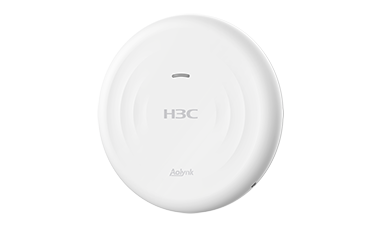
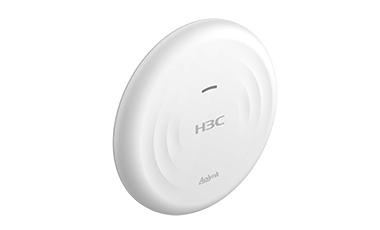
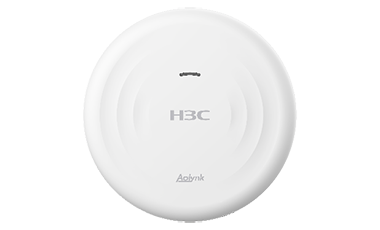
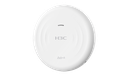
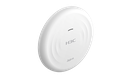
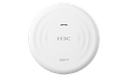
H3C Aolynk UAP522G-AC13 Ceiling-Mounted 802.11ac Wireless Access Point
H3C Aolynk UAP522G-AC13 is a Wi-Fi 5 (802.11ac) Ceiling-Mounted AP product developed by New H3C Technologies Co., Ltd. (H3C). The AP adopts a dual-radio and four-stream design, and the maximum access rate is 1267Mbps. The signal coverage quality is superior, meeting the wireless coverage requirements of indoor scenarios such as small, medium and micro enterprises, hospitals, schools, catering, hotels and entertainment.
UAP522G-AC13 provides flexible management mode, which is suitable for different scenarios:
Cloud management mode: With cloud remote management, monitoring, cloud operation and maintenance, network optimization and other industry-leading capabilities. Cloud management mode is the preferred management mode of this device which is suitable for networking requirements of various scales
Local web management mode: Supports Uweb management of Aolynk UR gateway. This mode applies to local web management.
Support OFDM technology
Support OFDM (Orthogonal Frequency Division Multiplexing) technology, convert high-speed data signals into parallel low-speed sub-data streams for transmission over different channels, eliminate inter-code crosstalk, and can flexibly allocate sub-channels to different users, achieve multi-user access.
Plug and play
The UAP522G-AC13 supports plug and play. When connected to cloud platform or Aolynk UR gateways, UAP522G-AC13 provides wireless services after powering on, making it easy to start and expand.
Support Aolynk UR gateway management
UAP522G-AC13 can be managed by the Aolynk UR gateways. It supports various management functions, such as wireless service configuration, RF configuration, firmware update, VLAN modification, and reset.
Support self-organizing network
The self-organizing network feature include fast deployment, fast configure, fast tuning, fats troubleshooting, and fast cloud access. It supports automatic discovery among devices, automatic establishment of topology and management, plug and play of new devices, automatic management, and automatic synchronization of configuration. The self-organizing network feature greatly simplifies user deployment and configuration in small and micro scenarios, improves user experience, provides users with better O&M through edge computing, reduces user costs.
Highly reliability
Highly Reliability is the foundation of good network. UAP522G-AC13 supports customized network link detection and a variety of network analysis tools, including a variety of hang detection and fault detection, so that you can easily find network problems. At the same time, it supports multiple fault recovery mechanisms to ensure stable network operation.
Aolynk Cloud network management platform
With the Aolynk Cloud network management platform, enterprises can enjoy professional network management and operation and maintenance services without having to purchase professional management servers and software, which greatly reduces the cost of network management for enterprise users and improves the network operation and maintenance management experience.
You can remotely log in to the web of device through the Aolynk Cloud network management platform for function configuration and remote diagnosis.
Hardware specifications
Name | UAP522G-AC13 |
Dimensions | 220mm×220mm×35mm |
Weight | 380g |
Fixed port | Uplink: 1 10/100/1000Mbps auto-negotiated Ethernet uplink port (PoE powered) |
PoE | Support 802.3at power supply |
Case color | White |
Built-in antenna | Built-in omni-directional antenna (2.4GHz: 3dBi; 5GHz: 4dBi) |
Radio frequency&MIMO | Radio1: 5G, 2x2, 866.7Mbps Radio2: 2.4G, 2x2, 400Mbps |
Working frequencies | 2.400 to 2.4835GHzISM 5.150 to 5.250GHzU - NII - 1 5.250 to 5.350GHzU - NII - 2A 5.470 to 5.725GHzU - NII - 2C 5.725 to 5.850GHzU - NII - 3/ISM Note: The available operating band varies according to the country of use of the device, depending on the country of final use of the device |
Modulation technology | OFDM: BPSK@6/9Mbps, QPSK@12/18Mbps, 16-QAM@24Mbps, 64-QAM@48/54Mbps DSSS: DBPSK@1Mbps, DQPSK@2Mbps, CCK@5.5/11Mbps |
Modulation mode | 11b: DSSS: CCK@5.5/11Mbps, DQPSK@2Mbps, DBPSK@1Mbps 11a/g: OFDM: 64QAM@48/54Mbps, 16QAM@24Mbps, QPSK@12/18Mbps, BPSK@6/9Mbps 11n: MIMO-OFDM: BPSK, QPSK, 16QAM, 64QAM 11ac: MIMO-OFDM: BPSK, QPSK, 16QAM, 64QAM, 256QAM |
Transmit power | 2.4G: 23.5 dBm 5G: 22.5 dBm Note: Antenna gain is not included, the actual power is adjusted according to different national regulations |
Adjustable power granularity | 10% |
Operating temperature/storage temperature | 0ºC ~ 45ºC/-40ºC ~ 70ºC |
Operating humidity/storage humidity | 5% to 95% (non-condensing)/ 5% to 95% (non-condensing) |
Power consumption | ≤11.35 W |
MTBF | 2229720 hrs |
Certification | CE, CB, RoHS |
Software Specifications
Features | Description |
802.11 protocol | 802.11 a |
802.11 b | |
802.11 d | |
802.11 e | |
802.11 g | |
802.11 h | |
802.11 I | |
802.11 n | |
802.11 ac | |
802.11 k | |
802.11 v | |
RSN | |
WPA3 | |
WPA2 | |
WPA | |
TKIP | |
CCMP | |
Open system | |
PSK | |
MAC address Blacklist | |
MAC address whitelist | |
Blacklist of domain names | |
Wireless services | SSID configuration |
Hide SSID configuration | |
RF binding wireless service | |
Bind service template to VLAN | |
User rate Limiting | |
Country code configuration | |
Radio frequency management | Power Settings |
Channel Settings | |
DFS | |
RF switch | |
RF mode | |
WRRM | 5G first |
802.11g protection | |
802.11n protection | |
RRM | Automatic optimization, manual optimization |
User isolation | VLAN-based user isolation |
Weak signal optimization | Disable weak signal clients access |
Actively triggers re-association of weak-signal clients | |
Wireless optimization | Roaming sensitivity adjustment |
Maximum number of clients based on Radio | |
Network protocols | ARP |
ARP SNOOPING | |
ICMP | |
NTP client | |
DNS client | |
TCP/UDP | |
DHCP Wi-Fi Server | |
DHCP Client | |
DHCP option 43 | |
HTTP | |
IPV6 (only support IP address acquisition and data forwarding) | |
LLDP | |
802.1 q | |
VLAN | SSID-based VLAN |
Port-based VLAN | |
Forwarding | Layer 2 forwarding |
Self-organizing network | Self-organizing Network |
Maintenance | Firmware brick recovery |
Configuration and log collection | |
Port-based rate statistics | |
Terminal trend statistics based on wireless services | |
Traffic statistics based on wireless services | |
Radio-based terminal trend statistics | |
Radio-based Wi-Fi channel utilization statistics | |
Displays the IP addresses of all VLANs | |
PING tool | |
Traceroute | |
Connectivity Detection | |
Quickly detect gateway address | |
Equipment management | Change login password |
AP indicator switch | |
Flashing light for AP | |
Configuration Import | |
Factory restore | |
Reboot | |
Timed reboot | |
Configure Aolynkcloud address and port | |
Self-unbind function | |
Set the date time and time zone | |
Self-organizing network switch | |
Change IP address of VLAN where the management Wi-Fi resides | |
Firmware upgrade | Online Upgrade |
Offline upgrade | |
New firmware alert | |
User interface | Cloud management |
Local Web management | |
Performance specifications | Maximum number of wireless terminal access is 256 (theoretical value) |
Maximum SSID supported by all RFs is 8 (including 1 managed Wi-Fi) Radio1: 0~8个;Radio2: 0~8个 Note: Users can freely combine the number of SSIDs supported under each radio frequency according to their actual needs. | |
Maximum number of network management devices in Self-organizing network is 32 (TM is AP) |
Unique experiences to drive engagement
Users are looking to consume engaging content.
We empowers our teams to create the most relevant content.
We have one goal in mind, the user satisfaction.